

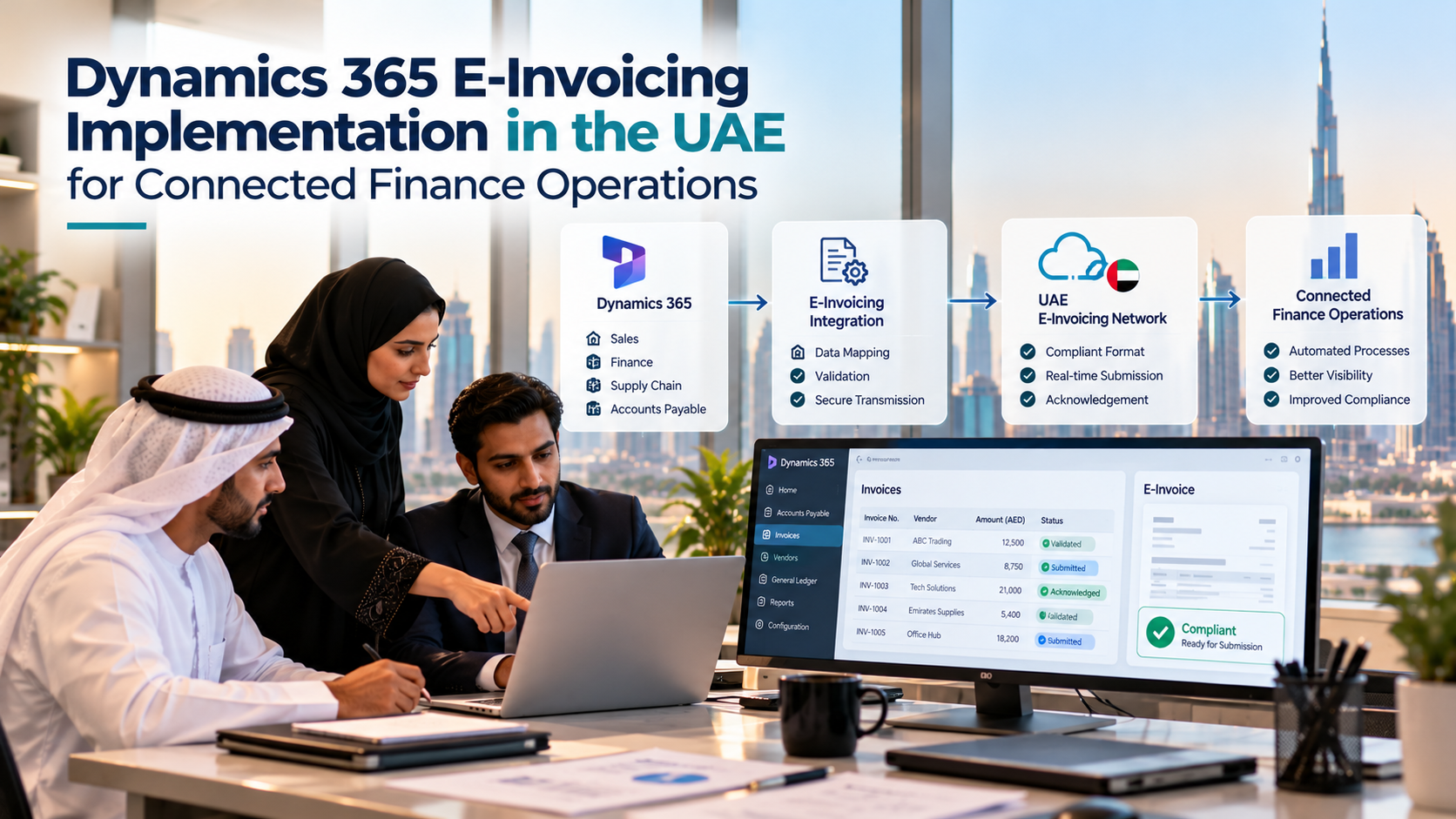
Dynamics 365 E-Invoicing Implementation in the UAE for Connected Finance Operations

Businesses using Microsoft Dynamics 365 often rely on it for more than creating invoices. It connects sales orders, customer records, tax calculations, accounts receivable and financial reporting. When e-invoicing requirements change, the challenge is not simply to send invoices electronically. Businesses need to ensure that invoice data moves correctly from their existing finance workflows into the required electronic format without creating extra work for the accounting team.
Dynamics 365 e-invoicing implementation services in UAE can help businesses assess their existing ERP setup, map invoice information to local requirements and establish the connection with an appropriate e-invoicing service provider. The aim is to build a process that works with the company’s existing finance operations while supporting the UAE’s structured e-invoicing framework.
Why Dynamics 365 Needs More Than an Invoice Template Update
A conventional invoice template focuses on how information appears on a screen or document. Structured e-invoicing requires invoice data to be organised so that systems can validate, exchange and process it electronically.
The UAE Ministry of Finance explains that an e-invoice is structured invoice data exchanged electronically between a supplier and a buyer and reported to the Federal Tax Authority. A PDF invoice, scanned document or invoice sent by email does not, by itself, meet this definition.
For a business running Dynamics 365 Finance or another Dynamics 365 application with invoicing capabilities, this distinction matters. The existing system may already calculate invoice totals, store customer details and record VAT information. However, the organisation still needs to check whether the available data is complete, consistently maintained and suitable for the electronic invoicing process.
That assessment should happen before the business commits to a technical design.
Start by Understanding How Invoices Are Created in Dynamics 365
There is no single configuration that suits every Dynamics 365 environment. A company that invoices customers directly from sales orders may have different requirements from a service business that bills against projects, contracts or recurring charges.
An implementation assessment should map the actual invoice journey, from the event that creates the invoice to the point when the finance team considers it successfully issued.
For example, a distributor might create an invoice after goods are dispatched. A consulting company may generate invoices from approved project hours, while a subscription business may produce invoices on a scheduled billing date. Each process can introduce different data dependencies and approval steps.
The implementation team should identify:
- Which Dynamics 365 application and version the business uses.
- How sales invoices, service invoices and credit notes are generated.
- Where customer tax details and business identifiers are maintained.
- Which fields are populated automatically and which require manual entry.
- Whether invoices pass through approval or posting controls before release.
- How corrections, cancellations and credit notes are handled.
- Which external applications receive invoice information.
This mapping reveals where the business may need configuration changes, data clean-up or additional integration logic. It also helps avoid a common implementation problem: designing a technical connection before understanding the finance process it must support.
Map Existing Invoice Data to UAE Requirements
Once the invoice journey is documented, the next task is to examine the quality and structure of the underlying data.
Dynamics 365 may contain customer names, addresses, tax registration details, invoice references, item descriptions, quantities, prices and VAT calculations. The presence of these fields does not automatically mean that every invoice will pass the required electronic validation rules.
Consider a business with several customer records for the same organisation. One record may contain a complete tax registration number, while another uses an old address or an inconsistent customer identifier. The finance team may still be able to create an invoice, but the inconsistency can cause problems when the data is prepared for structured electronic exchange.
A practical implementation should therefore include a field-mapping exercise. For each required invoice element, the team should establish its source in Dynamics 365, the applicable transformation rules and what happens when the information is missing or invalid.
The team should also test real business scenarios rather than relying only on a clean sample invoice. Domestic transactions, different VAT treatments, adjustments and credit notes can expose gaps that a basic test will not reveal.
Connect Dynamics 365 to the E-Invoicing Process
Integration design is one of the most important decisions in an implementation. The business needs a reliable way to transfer invoice data from Dynamics 365 to its selected service provider, receive validation results and make the relevant status information available to finance users.
The appropriate design depends on the existing Microsoft environment, available interfaces, transaction volumes and the capabilities of the chosen provider. Depending on the solution, the connection may use APIs, middleware, an existing integration platform or another supported interface.
A well-planned workflow should address several questions:
- When is invoice data sent for processing?
- Does the invoice need to be posted or approved before transmission?
- How are rejected invoices returned to the responsible team?
- How can users identify invoices awaiting a response?
- What happens if a connection fails or a message is delivered more than once?
- Where are the original invoice records and processing logs retained?
These are operational questions as much as technical ones. If a connection fails, finance users need a clear way to identify the affected invoices and retry processing without accidentally creating duplicate transactions.
The implementation should also distinguish between an invoice being created in Dynamics 365, being accepted for electronic exchange and completing the relevant reporting or acknowledgement steps. Treating these as the same status can make reconciliation difficult.
Choose an Integration Approach That Fits Your Existing Systems
Businesses do not always need to rebuild their finance architecture to introduce e-invoicing. In some environments, a relatively direct integration may be sufficient. Others may need middleware to coordinate multiple Dynamics 365 applications, legacy systems or regional finance processes.
The right approach depends on the existing setup.
A company operating one Dynamics 365 environment with a straightforward invoice workflow may prioritise a simpler connection that is easy to maintain. A group with multiple legal entities, separate billing applications and shared finance operations may need a more flexible design that standardises invoice data across systems.
When evaluating the available options, consider the volume of invoices, the number of entities involved, exception-handling requirements and how future Microsoft updates will be managed. The solution should also make it possible to update mapping rules without unnecessarily disrupting the underlying finance process.
Businesses evaluating the wider compliance landscape can review UAE e-invoicing solutions and implementation considerations to understand how the ERP connection fits into the overall electronic invoicing workflow.
Test the Exceptions, Not Just Successful Invoices
A demonstration showing one invoice moving from Dynamics 365 to a connected service is useful, but it is not enough to establish readiness.
Testing should cover the scenarios most likely to affect daily operations. These include missing customer details, incorrect tax information, unsupported values, duplicate submissions, rejected invoices and temporary service interruptions.
Credit notes deserve particular attention because they must remain connected to the original business transaction and follow the appropriate accounting treatment. If the business operates across multiple legal entities, the test plan should also check entity-specific settings, invoice numbering and tax data.
A useful test should confirm more than whether a message was transmitted. It should verify that the invoice data was mapped correctly, validation feedback reached the right users, failures could be resolved and the final status could be reconciled with the records in Dynamics 365.
Finance staff should participate in these tests. They can identify practical issues that technical testing alone may miss, such as unclear error messages or a process that requires users to switch between too many screens.
Keep the Finance Team in Control of Exceptions
Automation is most useful when routine invoices move through the process consistently and staff can focus on transactions that need attention.
The implementation should define who handles each type of exception. A customer-data problem may need to go to the master-data team, while a tax calculation issue may require review by a tax specialist. Integration failures may need technical support, but the finance team should still be able to see which invoices are affected.
A clear exception process can include a queue of failed transactions, an explanation of the validation issue, ownership for correction and a record of any resubmission. This reduces the need for employees to search through email threads or ask IT to investigate every delayed invoice.
It is equally important to decide how corrected information is reflected in the original transaction. Users should understand whether an invoice can be amended, must be reissued or requires a separate accounting document under the applicable process.
Select the E-Invoicing Service Provider Carefully
Dynamics 365 is only one part of the overall setup. Businesses also need to assess the service provider that will support the required electronic invoice exchange and reporting process.
The UAE Ministry of Finance publishes information about e-invoicing service provider accreditation and the applicable framework. Businesses should verify a provider’s current accreditation status through the official accredited service provider list.
During evaluation, ask how the provider connects with Dynamics 365, what invoice formats and interfaces it supports, how validation responses are delivered and what operational support is available. Clarify how changes to technical requirements will be handled and whether the provider can support the business’s legal entities and transaction volumes.
It is also worth agreeing on responsibilities before implementation begins. The ERP team, finance department and service provider should understand who owns data mapping, integration testing, error resolution and ongoing maintenance.
Plan the Rollout Around Business Readiness
A controlled rollout gives the organisation an opportunity to identify issues before the process is used across all invoice transactions.
Start by selecting representative invoice scenarios and a limited business scope. Validate the data mapping, integration behaviour and exception workflow, then resolve the issues found during testing. Before expanding the rollout, confirm that users know how to review statuses, correct data and escalate unresolved errors.
The final readiness review should cover technical connectivity, invoice data quality, access controls, logging, reconciliation and business continuity. It should also confirm that the organisation has a documented process for managing changes to Dynamics 365 and the connected e-invoicing service.
Implementation planning should reflect the current UAE requirements and any applicable deadlines for the business. Because regulatory decisions and accreditation arrangements can change, teams should verify the latest information with official UAE sources rather than relying on an old project plan.
Make E-Invoicing Part of the Finance Workflow
A successful Dynamics 365 e-invoicing implementation is not simply a connection between two systems. It is a coordinated process in which accurate invoice data, ERP workflows, service-provider integration and exception handling work together.
Businesses that begin with their existing invoice journey, validate the quality of their data and test realistic failure scenarios are better placed to build a maintainable solution. The goal is to make structured electronic invoicing a natural part of finance operations, with clear visibility into what has been processed and what still needs attention.
By treating e-invoicing as a finance-process improvement rather than just a technical installation, organisations can prepare their Dynamics 365 environment for electronic invoice exchange while keeping day-to-day billing and reconciliation manageable.



