

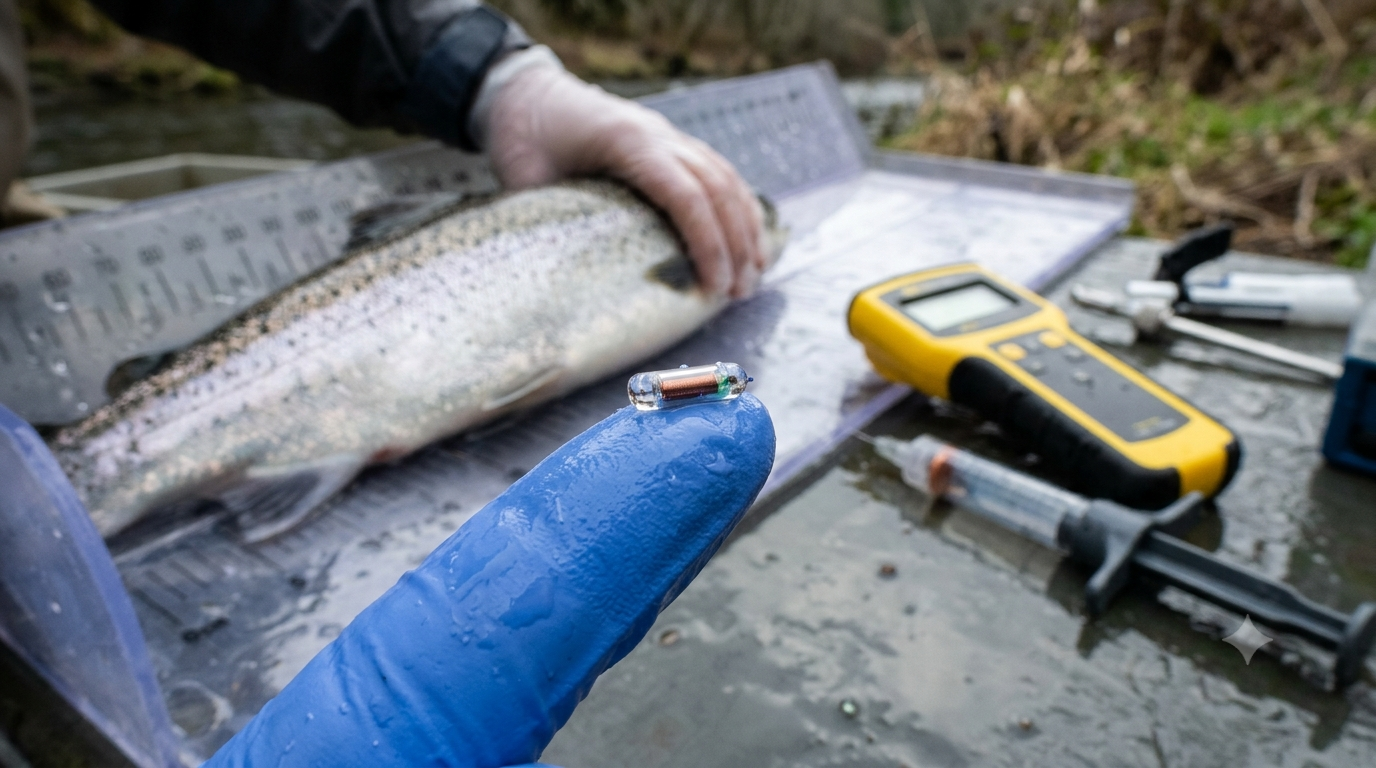
How to Integrate RFID Identification into an Existing Fisheries Monitoring Workflow

Why integration should begin with the existing workflow
Introducing electronic identification into a fisheries project can improve the way individual fish are recognised and monitored. However, organisations do not always begin with a completely new system. Many already have established procedures for sampling, measuring fish, recording observations and managing hatchery information.
The challenge is to introduce identification technology without creating unnecessary duplication or disrupting useful existing processes.
A suitable RFID tag reader for fisheries identification workflows can support this transition when it is compatible with the selected tags and the wider data-management setup. The reader should be evaluated alongside the project's current equipment, record formats and reporting requirements.
The best starting point is to understand how information currently moves through the organisation. Once the existing process is clear, the team can identify where electronic identification adds value and what needs to change.
1. Map the current monitoring process
Before selecting equipment, document how the organisation currently identifies fish and records information.
A typical monitoring process may include:
-
Preparing the sampling plan.
-
Identifying the fish or group being monitored.
-
Collecting measurements or observations.
-
Recording the date and location.
-
Entering information into a spreadsheet or database.
-
Reviewing and exporting the records.
-
Preparing reports for research or management.
Different organisations may follow different steps. Some may already use electronic records, while others may rely on paper forms or a mixture of systems.
The purpose of mapping the process is to identify where individual identification will be used and which records need to be connected.
Ask staff where information is currently entered, whether the same details are copied more than once and which steps create the most difficulty.
2. Identify the gaps in the current system
An existing workflow may have several limitations that electronic identification could help address.
For example, staff may use temporary labels, handwritten references or separate spreadsheets to distinguish individual fish. This may be manageable in a small project but become difficult when repeated observations are collected over a longer period.
Create a list of the problems the organisation wants to solve.
|
Existing challenge |
Integration objective |
|
Repeated manual identification |
Establish a consistent individual reference |
|
Separate records across teams |
Connect observations using shared identifiers |
|
Different location names |
Introduce standard location codes |
|
Difficult historical comparisons |
Maintain a consistent record history |
|
Repeated manual copying |
Evaluate suitable data-transfer options |
|
Unclear equipment records |
Track reader and sampling information |
Do not introduce technology without defining the problem. A new device may add another step if the underlying record structure remains inconsistent.
3. Check compatibility with the existing identification method
Before choosing an electronic system, confirm how it will work with the project's existing identification products and procedures.
For a PIT-based application, verify that the proposed reader supports the tag technology and formats used in the project. If the organisation already has equipment, check whether it can be retained or whether a different configuration is needed.
The team should also review the relevant product documentation and approved operating procedures.
Do not assume that all RFID devices can communicate with every tag or that equipment from different systems will automatically work together.
A compatibility review should cover the complete setup, including any accessories or connected software required for the intended workflow.
4. Decide where identification fits into the process
The organisation should define when the individual identifier is recorded and how it connects with the rest of the monitoring activity.
For example, the project may need to associate an identification reading with a sampling event before measurements are entered. Another workflow may collect the reading first and match it with the relevant record during a later review.
Either approach can create problems if the connection is not clearly defined.
Document the approved sequence and explain which fields must be completed before a record is considered ready for review.
The process should also specify what happens when an identification result is missing or uncertain. Staff should follow the verification procedure rather than assigning an assumed identity.
5. Standardise the information exchanged between systems
If the reader and data-management platform use different record formats, the organisation may need an export or integration process.
Begin by identifying the fields that must move between systems. These may include the individual identifier, date, location, project reference and other information required by the research programme.
Use a shared data dictionary to define field names and formats.
For example, if the project uses one format for dates and another system uses a different format, the organisation should define how the information will be converted and checked.
A small sample export can reveal missing fields or formatting problems before the system is used for a larger dataset.
6. Test the integration with a controlled pilot
Do not replace the existing process across the whole organisation immediately.
Choose a limited activity where staff can test the new workflow under controlled conditions. Use suitable equipment and approved procedures, and compare the results with the information already collected through the established process.
The pilot should check:
-
Whether the selected reader supports the project's tags.
-
Whether staff can follow the new workflow.
-
Whether identification records are connected correctly.
-
Whether the required data fields are captured.
-
Whether information can be exported.
-
Whether duplicate entries can be identified.
-
Whether the new process adds unnecessary work.
Record issues and resolve them before wider deployment. A pilot is most useful when it tests the complete workflow rather than only the reader's basic operation.
7. Train staff on the updated process
Introducing a reader may change how staff complete their daily work.
Training should explain not only how to operate the device but also how the reading fits into the project's record system.
Staff should understand:
-
When identification is required.
-
How to follow the approved equipment procedure.
-
Which project and location fields to use.
-
How to save and verify information.
-
What to do with uncertain results.
-
How to report equipment problems.
-
Who is responsible for reviewing records.
Use practical exercises based on the organisation's actual workflow. This helps identify misunderstandings before the system is used across multiple teams.
8. Protect existing records during the transition
An organisation may have years of historical information stored in spreadsheets or databases. Introducing electronic identification should not automatically require rebuilding all those records.
Plan how new identifiers will be connected to existing records where appropriate. If a project uses legacy reference numbers, maintain a documented mapping between the old and new identifiers.
Do not assume that an existing record can be matched to a new identifier without verification. Where the relationship is uncertain, preserve that uncertainty rather than creating an unsupported link.
Keep original records according to the organisation's data-retention policy. A transition should improve the information system without removing the ability to review earlier observations.
Two practical integration examples
Example 1: Adding electronic identification to a hatchery's existing spreadsheet workflow
A hatchery currently records fish measurements in spreadsheets. Staff use batch references and temporary labels to organise observations.
The organisation wants to introduce individual electronic identification. Before purchasing equipment, it maps the existing data-entry process and identifies the fields that need to remain.
The team adds an individual identifier field and standardises location codes. It then tests how readings will be recorded and transferred into the spreadsheet.
The new process is introduced gradually, allowing staff to compare records and resolve data-entry issues before wider use.
Example 2: Connecting field sampling with a central research database
A research programme collects observations at several sites. Each field team uses a separate template, and the central research group combines the files later.
The project introduces a shared record structure and confirms how identification readings will be associated with sampling events. The team tests a sample export and checks that the central database can recognise the required fields.
After training, each team follows the same core procedure while retaining its own location information.
Illustrative case study: Introducing electronic identification without disrupting routine work
This hypothetical example demonstrates an integration approach and is not a real customer project.
A fisheries organisation wants to introduce electronic identification into an established monitoring programme. The staff already use a spreadsheet-based process that supports their daily work.
Instead of replacing everything immediately, the organisation maps its current procedure and identifies the fields that must remain. It then tests a reader and data-transfer process using a limited project activity.
The pilot reveals that location codes need to be standardised before records can be combined. The organisation updates the template and provides staff training.
Once the new process is working as intended, it is introduced more widely. The organisation retains its existing reporting structure while improving how individual identification is connected to observations.
How Voda IQ products and software may fit into the workflow
Voda IQ provides PIT identification products, reader equipment and data-management options that organisations can review when planning a suitable monitoring system.
The appropriate setup depends on the project's tags, equipment requirements and information workflow. Teams should check the relevant specifications and confirm compatibility before selecting products.
It is also useful to consider how the identification process connects with data management. A system that supports appropriate record fields and export options can make it easier to incorporate readings into an established research process.
Before deployment, test the complete equipment and data workflow using sample records. Confirm that staff can follow the procedure and that the resulting information is usable by the teams responsible for research and reporting.
Conclusion
Integrating electronic identification into an existing fisheries workflow requires more than purchasing a reader. The organisation should map its current process, identify the problems it wants to solve, confirm compatibility and decide how readings will connect with existing records.
A controlled pilot helps test the new process before wider deployment. Shared data standards, staff training and careful handling of historical records then support a smoother transition.
A suitable RFID tag reader can become a useful part of an established monitoring programme when its capabilities match the project's requirements and the complete workflow is properly planned.
Frequently Asked Questions
1. Can electronic identification be added to an existing fisheries database?
It may be possible, depending on the database, reader and available data-transfer options. The organisation should check supported formats and test the connection using sample records.
2. Does a project need to replace its existing spreadsheets?
Not necessarily. A project may be able to retain its existing records while introducing a consistent individual identifier and an improved data-transfer process.
3. Why is a pilot important before full integration?
A pilot helps identify compatibility, training and data-format issues on a manageable scale. It allows the organisation to improve the process before wider deployment.
4. How can historical fish records be connected with new identification numbers?
Use a documented mapping process and verify each relationship using reliable project records. Do not create a link when the identity cannot be confirmed.
5. What should staff learn when a new reader is introduced?
They should learn the approved equipment workflow, required record fields, data-saving process, exception handling and the responsibilities for reviewing and transferring information.