

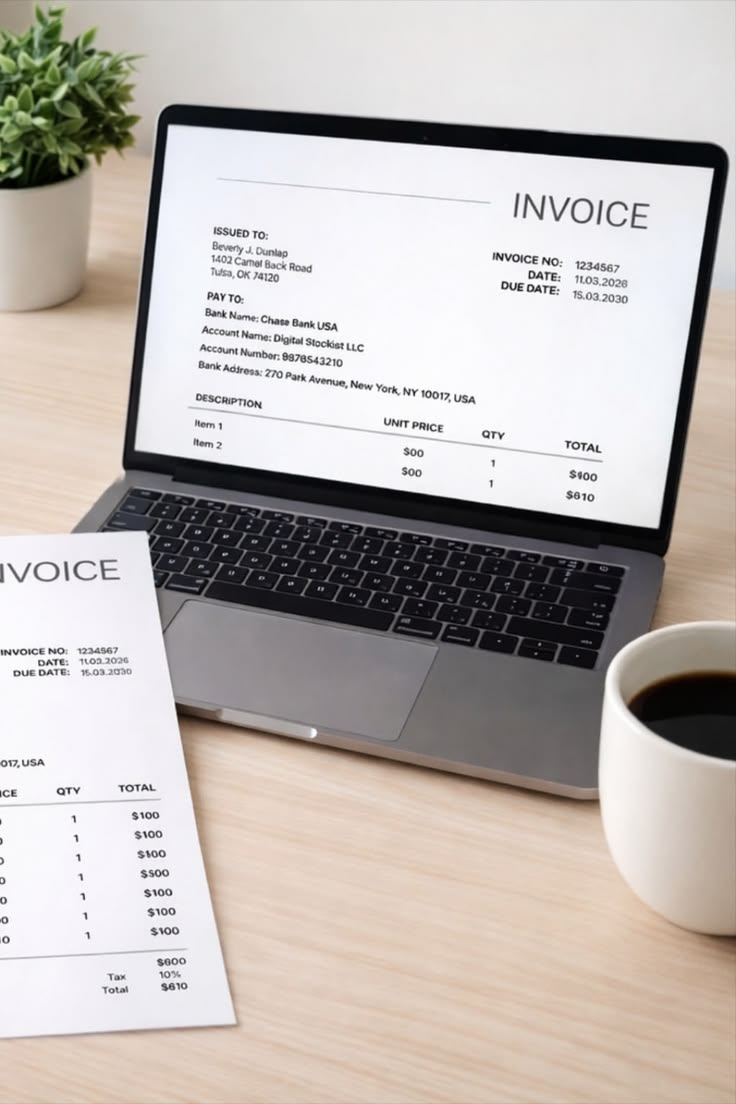
Professional Invoice Template: How to Create Invoices That Get You Paid Faster

Creating professional invoices is an important part of running a successful business. Whether you are a freelancer, small business owner, consultant, or independent contractor, a well-designed invoice helps you communicate payment details clearly and maintain accurate financial records. It also creates a positive impression and makes your business look more organized and trustworthy.
Using a professional invoice template makes billing easier because you do not have to design a new invoice every time a customer makes a purchase. Instead, you can use a ready-made format, enter the necessary details, and send the completed invoice within minutes.
In this guide, we will explore what makes an invoice professional, which details to include, how to customize an invoice template, and how to avoid common billing mistakes.
What Is a Professional Invoice Template?
A professional invoice template is a pre-designed document that businesses use to request payments from customers. It contains organized sections for business information, customer details, product descriptions, prices, taxes, payment terms, and the final amount due.
Instead of creating invoices from scratch, businesses can reuse the same template for different customers and transactions.
A good invoice template should be:
-
Easy to read and understand.
-
Professionally designed.
-
Suitable for different products and services.
-
Accurate when calculating totals.
-
Customizable according to business requirements.
-
Convenient to save, print, and share.
Professional invoices are useful for businesses of all sizes because they make the billing process more consistent and efficient.
Why Does Your Business Need a Professional Invoice Template?
Invoices are more than payment requests. They are important business documents that help maintain financial organization and establish clear communication with customers.
Here are some reasons to use a professional invoice template.
1. Creates a Strong Business Impression
Your invoice is often one of the final documents customers receive after purchasing your products or services. A clean and organized design reflects positively on your business.
Including your company logo, contact details, and consistent branding makes your invoices look more trustworthy.
2. Saves Time on Billing
Creating every invoice manually can take unnecessary time, especially when you work with multiple customers.
A reusable template allows you to update customer information, product descriptions, quantities, and prices without rebuilding the entire document.
3. Reduces Calculation Errors
A template with automatic calculation features can help reduce mistakes when calculating quantities, discounts, taxes, and totals.
However, you should always review the figures before sending the invoice.
4. Improves Payment Communication
A professional invoice clearly displays the total amount due, payment deadline, and accepted payment methods.
When customers understand exactly what they owe and when payment is expected, there is less room for confusion.
5. Keeps Financial Records Organized
Saving invoices with unique identification numbers makes it easier to track transactions, review previous payments, and maintain business records.
Essential Elements of a Professional Invoice
A professional invoice should contain all the information customers need to understand and complete a payment.
Here are the most important elements to include.
Business Information
Start with your company name, business address, email address, phone number, and logo. These details help customers identify the business issuing the invoice.
Customer Details
Include the customer's full name, company name if applicable, billing address, and contact information.
Invoice Number
Assign a unique invoice number to every transaction. You can use a simple numbering system such as INV-001, INV-002, and INV-003.
Invoice and Due Dates
Mention the date when the invoice is issued and the deadline for payment. Clear dates help customers understand their payment responsibilities.
Product or Service Description
Provide a detailed description of the products or services supplied. Include quantities, individual prices, and applicable charges.
Subtotal, Taxes, and Discounts
Show the subtotal before taxes, any discounts offered, and applicable tax amounts.
Total Amount Due
Display the final amount prominently so customers can easily identify the payment required.
Payment Instructions
Include accepted payment methods and any relevant payment terms. Make sure the instructions are clear and accurate.
How to Create a Professional Invoice
Creating an invoice does not require advanced design or accounting skills. You can prepare one using spreadsheet software, word-processing applications, or an online invoice generator.
Follow these steps to create an effective invoice.
Step 1: Choose an Invoice Format
First, decide which format works best for your business.
Common options include:
-
Excel for automatic calculations.
-
Word for simple, editable documents.
-
PDF for sharing finalized invoices.
-
Online invoice generators for convenient invoice creation.
Choose a format that matches your billing requirements and the number of invoices you prepare regularly.
Step 2: Add Your Business Branding
Include your company logo, business name, and contact details at the top of the invoice.
Use consistent fonts and colors that match your brand identity. Avoid excessive decoration because the primary purpose of an invoice is to communicate payment information clearly.
Step 3: Enter Customer and Transaction Details
Add the customer's information, invoice number, issue date, and due date.
Next, create an itemized section that explains each product or service provided.
Step 4: Calculate the Total Amount
List the quantity and unit price of each item. Multiply these values to calculate individual amounts.
For example:
|
Description |
Quantity |
Unit Price |
Total |
|
Website Design |
1 |
$300 |
$300 |
|
Content Writing |
5 |
$40 |
$200 |
|
SEO Services |
2 |
$100 |
$200 |
|
Subtotal |
$700 |
Add applicable discounts and taxes to determine the final amount due.
Step 5: Add Payment Terms
Clearly mention the payment deadline and accepted payment methods.
For example, you might specify that payment is due within 14 days of the invoice date. Only include payment methods and policies that your business actually supports.
Step 6: Review and Send the Invoice
Before sending your invoice, check customer information, invoice numbers, calculations, and payment instructions.
Save the completed document in PDF format when appropriate. This helps preserve the layout and prevents accidental changes to the invoice.
What Makes a Good Invoice Design?
A professional invoice should balance appearance and functionality. Customers should be able to find important information without searching through unnecessary details.
Consider these design recommendations:
Use a clean layout: Organize information into clearly separated sections.
Choose readable fonts: Use professional fonts such as Arial, Calibri, or Aptos.
Highlight the total: Make the final amount due easy to identify.
Use consistent branding: Apply your business colors and logo throughout the document.
Avoid unnecessary information: Include only details relevant to the transaction and payment.
Check printing settings: Make sure the invoice fits properly on the page when printed or exported.
A simple and organized design is generally more effective than an invoice filled with decorative elements.
How QuoteToPaid Can Simplify Invoice Creation
Managing invoices manually can become challenging as your business grows. You may need to prepare multiple billing documents, update customer information, calculate totals, and maintain accurate records.
This is where QuoteToPaid can help simplify your invoicing workflow. Having access to convenient invoicing resources and tools can make it easier to prepare organized billing documents without spending unnecessary time creating each invoice from scratch.
Whether you are a freelancer managing individual projects or a small business handling regular customer transactions, choosing an appropriate invoicing solution can improve your billing routine.
Consider your business requirements when selecting an invoicing tool. Look for features such as customizable invoice layouts, automatic calculations, PDF downloads, and easy access to previous billing records.
Common Invoice Mistakes Businesses Should Avoid
Even a professionally designed invoice can create problems if important information is missing or incorrect.
Here are some common mistakes to avoid:
Missing Invoice Numbers: Every invoice should have a unique reference number to support accurate record keeping.
Incorrect Customer Information: Always verify the customer's name, address, and contact details.
Unclear Service Descriptions: Explain the products or services provided instead of using vague descriptions.
Wrong Calculations: Double-check quantities, prices, discounts, and taxes before issuing an invoice.
Missing Payment Deadlines: Clearly communicate when payment is expected.
Inconsistent Invoice Designs: Using different layouts for every transaction can make your business documents appear disorganized.
Reviewing these details before sending an invoice can help prevent misunderstandings and improve your billing process.
Final Thoughts
A professional invoice template is a valuable resource for freelancers, consultants, contractors, and small business owners. It helps create consistent billing documents, communicate payment information clearly, and maintain organized financial records.
By including essential business details, customer information, itemized descriptions, accurate calculations, and clear payment terms, you can create invoices that are both attractive and practical.
Choose a reusable template that matches your business needs, customize it with your branding, and review every invoice before sending it. A well-organized invoicing process can save time, reduce administrative work, and help your business manage payments more efficiently.