


Convert Image to Embroidery File Services: A Simple Guide
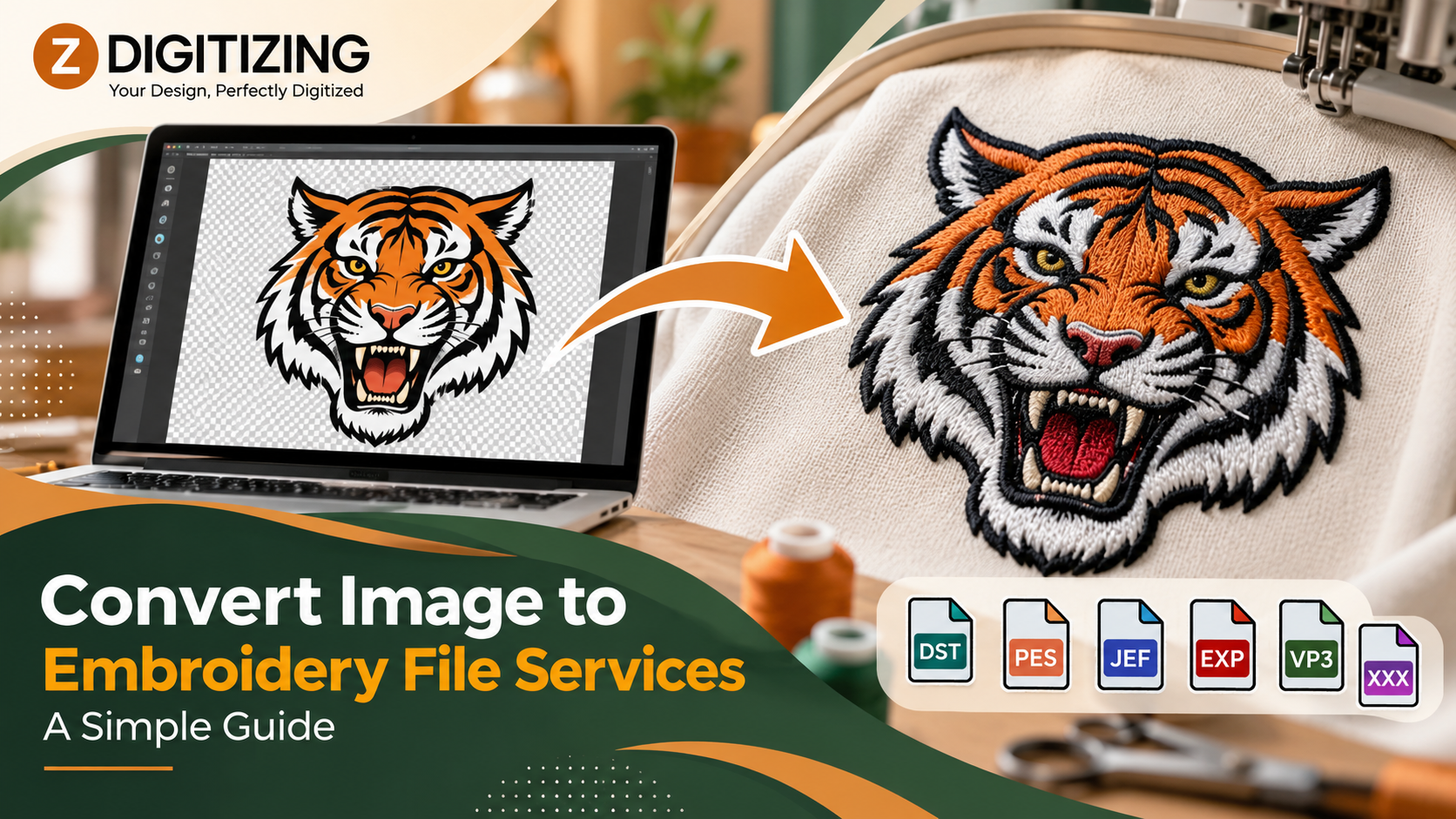
Many first-time embroidery buyers assume a good picture is enough to start stitching. It is not, because a machine reads stitch instructions, not pixels. Our Image to embroidery file conversion Services bridge that gap by turning your artwork into a file the machine can actually sew.
At ZDigitizing, we convert logos, text, and simple graphics into stitch-ready files. This guide explains how convert image to embroidery file services work, clears up common misunderstandings, and shows what to prepare before you send your image.
What Is the Difference Between an Image and an Embroidery File?
An image file, such as a JPG or PNG, stores a grid of colored pixels. An embroidery file stores a sequence of stitch commands. Those commands include where the needle goes, which stitch type to use, how dense to sew, and when to change thread color.
A machine cannot interpret pixels as stitches. Someone, or something, has to decide how each shape will be built from thread. That decision-making is the core job of convert image to embroidery file services.
What Are Common Myths About Image Conversion?
Myth: Any image converts perfectly
Clear, bold artwork converts well. Blurry, noisy, or highly detailed images do not, because thread cannot reproduce every pixel.
Myth: A bigger image means a better stitch file
Resolution helps us read your design, but stitch quality depends on how the file is built, not how many pixels the image has.
Myth: Free auto-conversion gives the same result
Automatic tools can trace shapes, but they often skip underlay and pull compensation. Those settings protect the final look.
Myth: One file works at every size
Stitch density and length depend on the final size. A file made for one size rarely works at another.
Knowing these points before you order saves revisions and wasted garments.
Which Images Work Best for Embroidery?
Artwork converts most smoothly when it has these traits:
-
Bold shapes with clear separation between colors
-
Solid colors instead of gradients
-
Readable lettering with strokes thick enough to hold thread
-
A limited palette that keeps production efficient
-
Clean edges without blur, noise, or compression artifacts
Logos, monograms, simple icons, and bold text are typical candidates. Photographs and complex illustrations are harder, because embroidery uses solid thread colors. When your artwork is detailed, we can often simplify it into stitchable shapes without losing its identity.
How Do We Turn Your Image Into a Stitch File?
Here is our process:
-
Review the image. We check resolution, edge quality, color count, and small details.
-
Confirm the final size. Real dimensions guide every other setting.
-
Clean up the artwork. Rough images may need redrawing before stitching begins.
-
Assign stitch types. Fills cover large areas, satin stitches form borders and bold letters, and running stitches draw fine lines.
-
Build underlay. Foundation stitches support the top layer and steady the fabric.
-
Apply pull compensation. We adjust shapes slightly to offset the inward pull of thread tension.
-
Set the stitch sequence. A planned order limits trims, jumps, and fabric movement.
-
Export the file. We deliver it in the format your machine uses.
What Happens to Colors During Conversion?
Thread comes in solid colors, so every color in your image becomes a thread choice. Gradients and shadows must be simplified into distinct blocks. Very similar shades may merge into one, and unnecessary colors may be removed to keep production smooth.
If you have exact thread colors in mind, tell us. If you do not, we can match your artwork as closely as thread allows. Fewer colors usually mean fewer stops and a cleaner result.
How Should You Prepare Your Image?
A few small steps make a big difference:
-
Send the original file. Avoid screenshots and heavily compressed copies.
-
Choose the largest version you have. More detail gives us more to work with.
-
Provide a vector file if you own one. Vector shapes scale cleanly.
-
State the exact size. Width and height shape stitch length and density.
-
Tell us the product. Polos, caps, jackets, and towels each need different settings.
If your image is too rough to convert directly, our Vector Art Service can redraw it into clean shapes first. Our Logo Digitizing service builds the stitch file around a finished brand mark.
Which File Format Should You Choose?
Machines read different formats, so confirm yours before ordering:
-
DST: Common on commercial multi-head machines
-
PES: Used by Brother and Babylock machines
-
EXP: Used by Melco machines
-
JEF: Used by Janome machines
If you are unsure, check your machine's manual or software. Our Image to embroidery file conversion Services deliver the file in the format you request, so naming it upfront prevents conversion problems.
How Does the Product Change the File?
The same image can need different settings depending on where it will sew:
-
Left chest: Small designs need careful sizing so details stay readable. See our Left Chest Logo Digitizing service.
-
Caps: Curved crowns need cap-specific files. We offer Hat Digitizing and Cap Logo Digitizing.
-
Jackets: Large back designs pull harder on fabric. Our Jacket back Digitizing and Back & Sleeve Digitizing services cover those placements.
-
Patches: Patches need planned coverage and borders. See our Patch Digitizing service.
Tell us the product when you send your image, and we will set the file to match.
How Can You Spot Problems on a Test Stitch?
A sample often reveals what needs fixing:
-
Puckered fabric: Density is too high or underlay is too light.
-
Gaps between shapes: Pull compensation needs adjusting.
-
Blurry letters: Text is too small or too thin.
-
Rough edges: The source image was soft or noisy.
-
Thread breaks in one area: Stitches are packed too tightly there.
Share what you see, and we can adjust the file.
When Are Professional Conversion Services Worth It?
Software tracing can handle very simple shapes. Professional convert image to embroidery file services make more sense when:
-
You need many garments to match
-
Your artwork includes small text or several colors
-
A previous file caused puckering, gaps, or thread breaks
-
You want a raised or layered effect
For raised or layered looks, we also offer 3D Puff Embroidery Digitizing and Applique digitizing. Each effect needs its own setup, so tell us what you have in mind.
Ready to Turn Your Image Into Stitches?
A good embroidery file starts with clear artwork, the right size, and settings matched to your product. If you want help preparing one, ZDigitizing can convert your image into a production-ready stitch file. Send us your artwork and project details, and we will take the next step with you.
Before a full order, stitch a sample on similar fabric. A test confirms size, density, and alignment, and it shows whether your convert image to embroidery file services order delivers the look you planned. Our Image to embroidery file conversion Services can refine the file if the sample needs changes.
Frequently Asked Questions
What are convert image to embroidery file services?
Convert image to embroidery file services turn a JPG, PNG, or similar image into a stitch file an embroidery machine can read. We set stitch types, density, underlay, and sequence, then provide the file in your machine's format.
Can I send a screenshot for conversion?
You can, but screenshots are often low in resolution and soft at the edges. Send the original image or the highest-quality version you have, because clearer artwork gives us more detail to build into the stitch file.
How is a stitch file different from a JPG?
A JPG stores pixels, while a stitch file stores machine commands for stitch type, direction, density, and color changes. Only the stitch file can run on an embroidery machine.
Which embroidery file formats can you provide?
We can prepare common formats such as DST, PES, EXP, and JEF. Tell us which machine you use, and we will provide a compatible file so you can load the design without conversion problems.
Do I need a vector file?
No, but vector files help. A clear, high-resolution image can work as a starting point. If you request convert image to embroidery file services with a rough image, we can rebuild it into clean shapes first.
- Goth Lifestyle
- Fashion & Style
- Music & Bands
- Art & Photography
- Creative Writing & Poetry
- Events & Scene
- Occult & Spirituality
- DIY & Tutorials
- Beauty & Self-Care
- Relationships & Dating
- Gaming & Media
- Tech & Gadgets
- Body Art & Piercings
- Underground Culture
- Spotlights & Interviews
- Travel & Places
- Lifestyle & Daily Life
- Fitness & Health
- Travel & Adventure
- Books & Literature
- Tech & Gaming
- Movies & TV
- Food & Drinks
- Humor & Memes
- Pets & Animals
- General Arts & Crafts

 English
 Arabic
 French
 Spanish
 Portuguese
 Deutsch
 Turkish
 Italiano
 Russian
 Romaian
 Portuguese (Brazil)
 Greek
Greek
