


How to Set Up IPTV for a Relative in Assisted Living or During a Long Hospital Stay
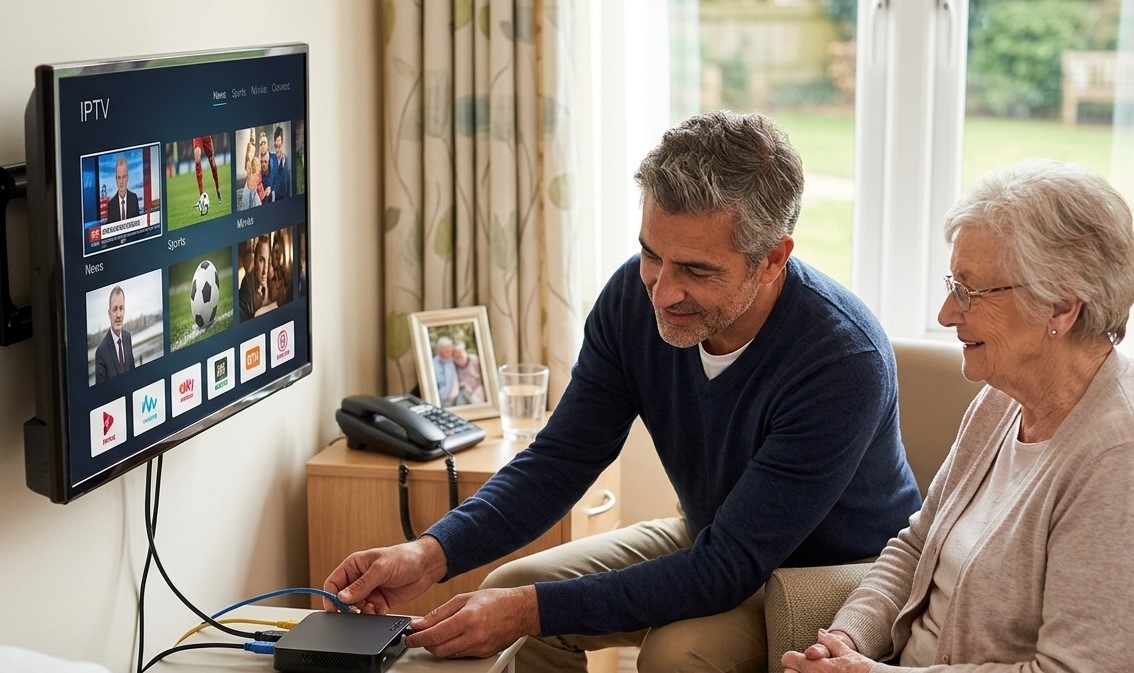
Staying connected to familiar television programs can bring comfort and entertainment to someone living in an assisted living facility or recovering during a long hospital stay. News, cultural programs, movies, and favorite shows can help maintain familiar routines when everyday activities are limited. A simple, reliable television setup can make this experience more convenient for both the viewer and their family.
Before choosing a device, it is important to check the facility’s rules, internet availability, and television compatibility. IPTV India may be relevant for families looking for Indian television programming, while an Indian IPTV Box may provide access to supported channels when the device, service, and facility policies allow it.
This guide explains how to plan, install, and maintain an IPTV setup that is practical, easy to use, and appropriate for a relative’s living or recovery environment.
Table of Contents
-
Check the Facility’s Rules First
-
Choose the Right IPTV Device
-
Confirm Internet and Wi-Fi Availability
-
Set Up the Television and Streaming Service
-
Make the Setup Comfortable and Easy to Use
-
Consider Privacy, Security, and Safety
-
Troubleshoot Common IPTV Problems
-
Frequently Asked Questions
-
Final Thoughts and Call to Action
1. Check the Facility’s Rules First
Before purchasing or bringing any equipment, contact the assisted living facility or hospital administration. Facilities have different policies regarding personal electronics, external streaming devices, internet connections, and television equipment.
Ask the staff these questions:
-
Is the room television compatible with external streaming devices?
-
Are personal IPTV boxes or streaming sticks permitted?
-
Is guest Wi-Fi available for streaming?
-
Can residents connect devices to the facility network?
-
Are there restrictions on electrical equipment or extension cords?
-
Is technical assistance available if the television stops working?
Hospitals may already provide television services or their own entertainment platforms. Some also restrict wireless devices in particular clinical areas or limit access to streaming services. Check the specific hospital’s guidance before bringing additional equipment. Queensland Health’s hospital guidance explains that Wi-Fi and streaming availability can vary.
For a temporary hospital stay, avoid buying equipment until you know what the patient is permitted to use.
2. Choose the Right IPTV Device
The best device is one that works with the available television, internet connection, and authorized streaming service without creating unnecessary complexity.
Option 1: Use the existing smart TV
If the television supports the required authorized IPTV app, using the existing TV may be the simplest option. It avoids additional equipment and can reduce the number of remotes needed.
Option 2: Use a compatible streaming device
A supported streaming stick or compact streaming device may work if the television has a suitable HDMI port and the facility permits it. Confirm compatibility before purchasing.
Option 3: Consider an IPTV box
An Indian IPTV Box may be appropriate when it supports the required channels and service. Before choosing one, verify the supported apps, remote-control functions, network requirements, and availability of the desired programming.
For a hospital stay expected to last only a few weeks, a simple device that can be packed away easily may be more practical than a permanent installation.
3. Confirm Internet and Wi-Fi Availability
A stable internet connection is important for internet-based television. However, do not assume that every facility’s Wi-Fi network supports streaming.
Ask about the available connection
Check whether the room has guest Wi-Fi, Ethernet access, or another permitted internet option. Some networks require users to accept terms through a browser, and some may block certain streaming applications.
Test the connection
Before relying on IPTV, test the internet connection and open the intended service. If video repeatedly buffers, ask whether the network supports streaming or whether another permitted connection is available.
Consider a mobile hotspot only if allowed
A personal hotspot may be an alternative when facility Wi-Fi is unavailable or unsuitable. Check mobile coverage, data allowances, and the facility’s policies first. Hospital rules and clinical restrictions take priority.
4. Set Up the Television and Streaming Service
Once the facility approves the equipment, follow a simple setup process.
-
Position the device: Place it securely near the television, with adequate ventilation and no obstructed connections.
-
Connect the equipment: Follow the manufacturer’s instructions and use the television’s supported HDMI input if required.
-
Connect to the network: Select an approved internet connection and complete any required sign-in process.
-
Install or open the service: Use the authorized app or provider instructions to access the subscription.
-
Test the channels: Check that the preferred programs are available and play reliably.
-
Simplify navigation: Add favorite channels where supported and make the home screen easy to understand.
-
Show your relative how it works: Demonstrate how to turn on the TV, select a channel, adjust the volume, and return to the main menu.
If the service offers Indian news, entertainment, or regional-language programming, check that the specific channels are included in the subscription and available in the viewer’s location.
5. Make the Setup Comfortable and Easy to Use
A well-designed setup should allow your relative to enjoy television without constantly asking for technical assistance.
Keep the remote simple
Use the original remote or a compatible simplified remote with clearly labeled buttons. If several remotes are necessary, label them and explain which one controls the TV and which one controls the streaming device.
Organize favorite channels
Place frequently watched channels in a favorites list, if the service supports it. This can make it easier to find familiar news programs, movies, and regional-language content.
Adjust picture and sound settings
Set the brightness and volume to comfortable levels. Enable subtitles or closed captions if useful, and check whether the television offers voice guidance or other accessibility features.
Make instructions easy to follow
Leave a short, large-print instruction sheet near the television. Include basic steps such as turning on the TV, selecting the correct input, opening the streaming app, and contacting family if a problem occurs.
For relatives who have difficulty operating small buttons, consider a compatible large-button remote or supported voice-control option.
6. Consider Privacy, Security, and Safety
A hospital or assisted living room requires special attention to safety and privacy.
-
Use a strong password for personal accounts and avoid sharing login details unnecessarily.
-
Sign in only to services authorized for the viewer’s use.
-
Avoid saving payment information on devices that other people may access.
-
Secure cables so they do not create trip hazards or interfere with care equipment.
-
Keep electrical connections and devices away from liquids.
-
Do not disconnect, move, or alter hospital-owned equipment without staff approval.
-
Keep the volume low enough to avoid disturbing roommates or nearby patients.
For a temporary hospital stay, ask staff before connecting anything to the television or using equipment near medical devices. If the room already has a suitable entertainment system, using that system may be safer and more convenient.
7. Troubleshoot Common IPTV Problems
The IPTV app will not connect
Check the network connection, subscription status, and app settings. If the facility network blocks the service, ask the administrator about permitted alternatives rather than attempting to bypass network restrictions.
The television shows a blank screen
Confirm that the TV is set to the correct input and that the device is powered on. If the equipment belongs to the facility, ask staff for assistance before changing connections.
The stream keeps buffering
Test the connection, close unnecessary applications, and check whether the facility permits streaming on its network. If the problem continues, contact the service provider or use an approved alternative.
The remote is confusing
Label the controls, remove unnecessary remotes from the immediate area, and practice the basic steps with your relative. If compatible, a simplified remote may be easier to use.
The stay ends sooner than expected
Before discharge or moving rooms, sign out of personal accounts where appropriate, disconnect personal equipment safely, and take all accessories and chargers with you.
8. Frequently Asked Questions
Can I install IPTV for a relative in assisted living?
Possibly. First confirm that the facility allows external streaming devices and that the room television and internet connection support the service. Some facilities already provide suitable entertainment options.
Can I use an Indian IPTV Box in a hospital room?
Only if the hospital permits personal streaming equipment and the device is compatible with the television and network. Ask staff before connecting it.
Does IPTV work on hospital Wi-Fi?
It depends on the hospital’s network policies, connection quality, and streaming restrictions. Some networks support video streaming, while others may restrict certain services.
What is the easiest setup for an older relative?
An existing smart TV with a compatible authorized app is often a simple starting point. A clear remote, favorite-channel list, and short instruction sheet can make everyday use easier.
Should I buy a new device for a short hospital stay?
Not necessarily. Check the hospital’s existing television and entertainment services first. For a short stay, using an approved existing option may be more convenient and cost-effective.
How can I watch Indian channels while living abroad?
Availability depends on the provider, subscription, device compatibility, and location. Check the service’s authorized channel lineup and regional access terms before subscribing.
9. Final Thoughts and Call to Action
Setting up IPTV for a relative in assisted living or during a long hospital stay can help maintain familiar entertainment routines and provide access to preferred programming. The most effective setup is not necessarily the most advanced one; it is the one that works reliably, complies with facility rules, and is easy for the viewer to operate.
Start by checking the facility’s policies, confirming internet access, and selecting compatible equipment. Test the system before relying on it, keep instructions simple, and make sure safety and comfort remain priorities.
Explore your viewing options: Visit IPTV India to learn more about available services and the Indian IPTV Box to review device information. Confirm channel availability, compatibility, and facility permission before making a purchase or installing equipment.
- Goth Lifestyle
- Fashion & Style
- Music & Bands
- Art & Photography
- Creative Writing & Poetry
- Events & Scene
- Occult & Spirituality
- DIY & Tutorials
- Beauty & Self-Care
- Relationships & Dating
- Gaming & Media
- Tech & Gadgets
- Body Art & Piercings
- Underground Culture
- Spotlights & Interviews
- Travel & Places
- Lifestyle & Daily Life
- Fitness & Health
- Travel & Adventure
- Books & Literature
- Tech & Gaming
- Movies & TV
- Food & Drinks
- Humor & Memes
- Pets & Animals
- General Arts & Crafts

 English
 Arabic
 French
 Spanish
 Portuguese
 Turkish
 Dutch
Dutch
 Italiano
 Russian
 Romaian
 Portuguese (Brazil)
 Greek
Greek
