


Laptop Operating System Problems Common Issues and Simple Solutions
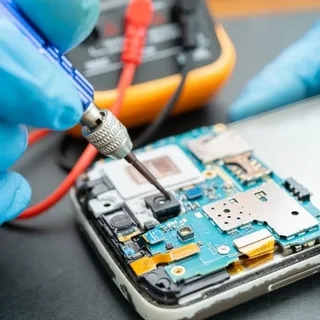
Laptop operating can make everyday computer use frustrating. A laptop may become slow, fail to start correctly, show unexpected error messages, or have trouble opening applications. These issues can happen because of outdated software, damaged system files, storage problems, incompatible programs, or other technical causes. Understanding common signs can help you decide whether a simple troubleshooting step may solve the issue or whether professional assistance is needed.
Laptop Operating System Problems That Can Affect Daily Use
One common sign of laptop operating system problems is slow performance. A laptop that once started quickly may take much longer to boot or respond slowly when opening programs. Too many startup applications, limited storage, outdated software, or background processes can contribute to this issue.
Another common problem is an operating system that freezes or becomes unresponsive. If the problem happens repeatedly, it may indicate that something needs attention. Restarting the laptop can sometimes provide a temporary solution, but repeated freezing should not be ignored.
Unexpected error messages can also provide useful clues. Write down the message or take a screenshot before trying different fixes. The exact wording can help identify what is causing the problem.
Check for Available Storage
Low storage can affect laptop performance. Operating systems need available space for temporary files, updates, applications, and other system tasks. When the storage drive is almost full, the computer may become slower.
Check the available storage and remove files you no longer need. Large videos, downloads, duplicate files, and unused applications can take up considerable space.
Before deleting anything, make sure important documents and personal files are backed up. If you are unsure about a file, do not remove it simply to create more space.
Keep the Operating System Updated
Operating system updates can include security improvements, bug fixes, compatibility changes, and performance improvements. Delaying updates for long periods can sometimes lead to software compatibility issues.
Check your laptop's update settings and install available updates when appropriate. Make sure the laptop has enough free storage and a stable power connection before starting a major update.
If an update repeatedly fails, avoid forcing the process through unfamiliar methods. The error message may provide information about what needs to be repaired.
Check Recently Installed Software
A new application, driver, or system utility can sometimes create compatibility problems. If your laptop began behaving differently immediately after installing something, consider whether the new software could be connected to the issue.
Remove programs you do not recognize or no longer need, but avoid uninstalling essential system components. If you are uncertain about a program, research its purpose before removing it.
In some situations, professional operating system problems repair Scarborough services can help identify software conflicts and restore normal operation without unnecessary changes to the system.
What to Do When a Laptop Will Not Start
A laptop that will not start can have several possible causes. First, check that the charger is properly connected and that the power source is working. If the laptop shows lights or sounds but does not load the operating system, the issue may be related to software, storage, or another component.
If the laptop reaches an error screen, record the message. Avoid repeatedly changing advanced settings unless you understand what each setting does.
If important files are stored on the laptop and you are worried about losing them, consider getting professional help before attempting major repairs or reinstalling the operating system.
Protect Your Files Before Troubleshooting
Backing up important information is one of the most useful steps before performing significant troubleshooting. Documents, photographs, work files, and other personal data should be stored somewhere safe.
A backup can be especially important when the operating system is unstable. Some repair procedures may involve resetting system settings or reinstalling software, which could affect locally stored information.
Use an external drive or another trusted backup method when possible. Do not wait until the laptop completely stops working before thinking about your important files.
When Should You Get Professional Help?
Simple problems can sometimes be solved with a restart, software update, storage cleanup, or removal of unnecessary applications. However, repeated crashes, startup failures, corrupted system files, or major update errors may require more detailed troubleshooting.
Professional assistance can be useful when you are unsure what caused the problem or when important data is involved. A technician can assess the laptop and determine whether the issue is related to the operating system, software, storage, or another component.
Getting help early can also reduce the risk of making the problem worse through incorrect troubleshooting steps.
Frequently Asked Questions
What causes laptop operating system problems?
Common causes include outdated software, corrupted system files, insufficient storage, incompatible applications, failed updates, and hardware issues that affect the operating system.
Can restarting a laptop fix an operating system issue?
A restart can solve temporary software problems and clear certain system processes. However, if the same issue keeps returning, additional troubleshooting may be necessary.
Should I update my operating system when an update is available?
Keeping your operating system updated is generally important for security, compatibility, and bug fixes. Make sure important files are backed up before major updates.
Can low storage make a laptop slow?
Yes. Very limited free storage can affect normal system operations and may contribute to slower performance.
What should I do if my laptop will not boot?
Check the power connection first and record any error message shown on the screen. If the problem continues, professional troubleshooting may be safer, especially when important files are stored on the laptop.
Keep Your Laptop Working Reliably
Operating system issues can have many causes, so the best solution depends on the symptoms and the condition of the laptop. Regular updates, enough free storage, reliable backups, and careful software management can help prevent many common problems. When an issue continues or involves important data, getting proper technical assistance can be a safer approach. For local computer support and troubleshooting, True Cell Tech can be considered by laptop users in Scarborough.
- Goth Lifestyle
- Fashion & Style
- Music & Bands
- Art & Photography
- Creative Writing & Poetry
- Events & Scene
- Occult & Spirituality
- DIY & Tutorials
- Beauty & Self-Care
- Relationships & Dating
- Gaming & Media
- Tech & Gadgets
- Body Art & Piercings
- Underground Culture
- Spotlights & Interviews
- Travel & Places
- Lifestyle & Daily Life
- Fitness & Health
- Travel & Adventure
- Books & Literature
- Tech & Gaming
- Movies & TV
- Food & Drinks
- Humor & Memes
- Pets & Animals
- General Arts & Crafts

 English
 Arabic
 French
 Spanish
 Portuguese
 Deutsch
 Turkish
 Dutch
Dutch
 Russian
 Romaian
 Portuguese (Brazil)
 Greek
Greek
