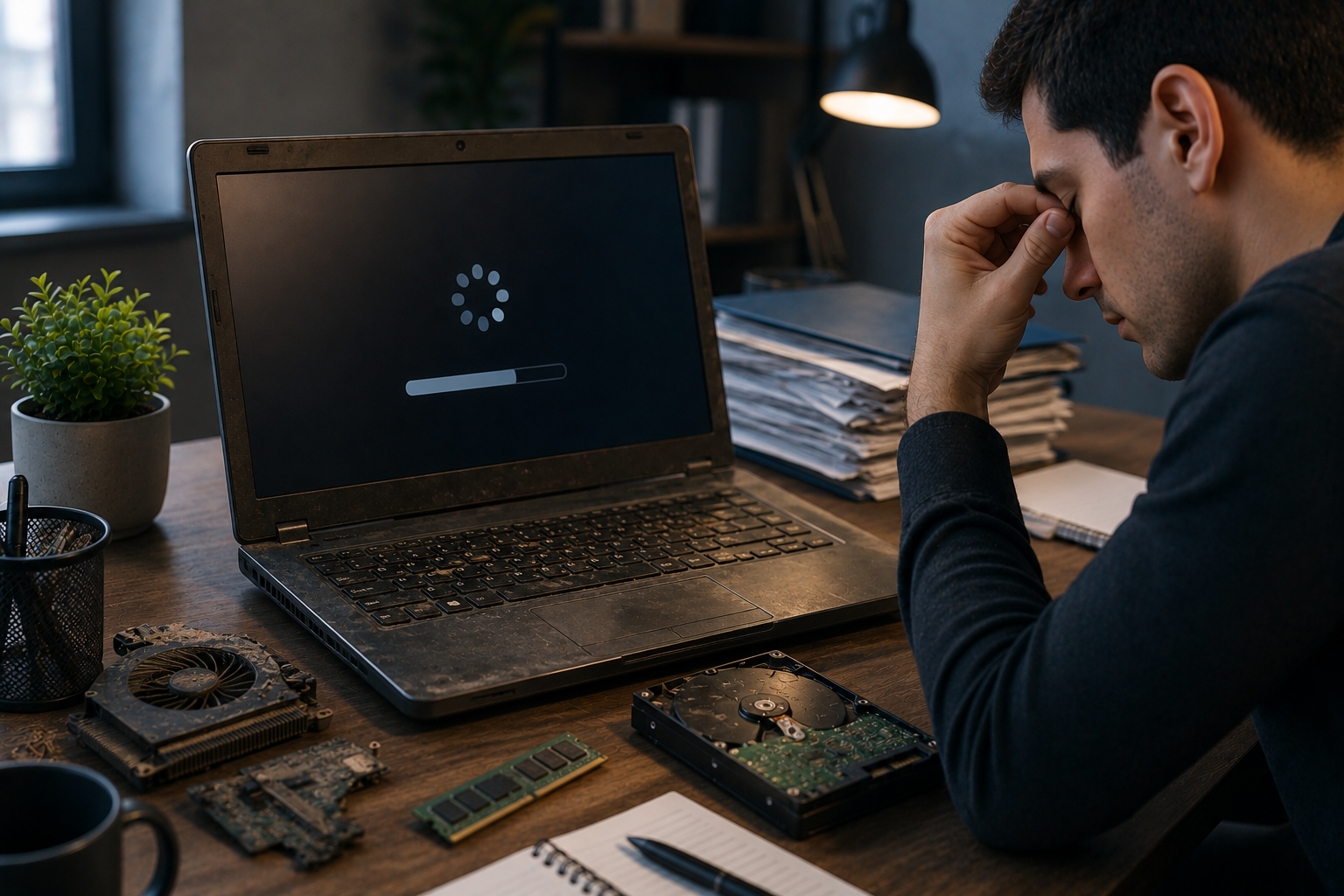
A laptop is often central to everyday productivity, whether it is used for business tasks, remote work, education, communication, creative projects, or managing important files. When its components begin to wear out, the effects are not always immediately obvious. A laptop may still turn on and perform basic tasks, yet small hardware problems can gradually make everyday work slower, less reliable, and more frustrating.
Aging storage drives, weak batteries, worn cooling systems, damaged keyboards, failing memory, and display problems can all interfere with productivity. Recognizing these changes early can help users decide whether maintenance, repair, or an upgrade is appropriate. iPC Repair Houston can help diagnose aging hardware and identify components that may be affecting daily performance. When display problems are involved, professional laptop screen repair Houston can also help restore a more reliable working environment.
What Does Component Wear Mean?
Laptop components experience different types of wear over time. Some parts, such as batteries and mechanical storage drives, naturally deteriorate through repeated use. Other components may become damaged because of heat, dust, physical impacts, liquid exposure, or poor maintenance.
Worn components may not fail immediately. Instead, they can produce gradual symptoms such as slower performance, intermittent errors, excessive heat, or reduced battery life.
This is why laptop hardware maintenance is important for long-term productivity.
1. Aging Storage Can Slow Down Work
The storage drive affects startup times, application loading, file access, and overall system responsiveness. An aging or nearly full drive can make routine activities noticeably slower.
Users may experience:
- Longer startup times
- Slow application launches
- Delayed file transfers
- Frequent system freezes
- File-access errors
- Increased loading times
If an older laptop uses a mechanical hard drive, upgrading to a compatible SSD can sometimes provide a significant improvement in responsiveness.
However, if the existing drive shows signs of failure, important files should be backed up before attempting major changes.
2. A Weak Battery Reduces Flexibility
A worn battery can make a laptop less convenient for everyday work. A device that once operated for several hours may eventually need frequent charging.
Battery deterioration can result in:
- Shorter operating time
- Unexpected shutdowns
- Rapid battery percentage drops
- Charging interruptions
- Reduced portability
For professionals and students who move between meetings, classrooms, offices, and other locations, poor battery life can interrupt productivity.
If the laptop is otherwise in good condition, replacing the battery may be more practical than replacing the entire device.
3. Overheating Can Reduce Performance
Aging cooling systems can have a major effect on laptop productivity. Dust buildup, worn fans, blocked vents, and ineffective thermal materials can cause internal temperatures to rise.
When a laptop becomes too hot, it may automatically reduce processor performance to protect the hardware.
This can cause:
- Slower applications
- Delayed responses
- Longer rendering times
- Reduced performance during multitasking
- Unexpected shutdowns
A laptop that becomes increasingly hot during normal work should be inspected rather than simply tolerated.
4. Worn Fans Can Create Additional Problems
Cooling fans contain moving components that can eventually wear out. A failing fan may produce grinding, clicking, rattling, or unusually loud sounds.
If the fan cannot maintain adequate airflow, internal temperatures can increase. This can affect the processor, graphics hardware, battery, and other components.
Replacing or servicing a faulty fan can sometimes restore proper cooling and prevent additional hardware stress.
5. Memory Problems Can Interrupt Multitasking
RAM allows the laptop to manage active applications and processes. As software becomes more demanding, older laptops with limited memory may struggle with modern workloads.
Symptoms of memory limitations can include:
- Slow switching between applications
- Browser tabs becoming sluggish
- Programs becoming unresponsive
- Increased system delays
- Frequent use of virtual memory
If the laptop supports a memory upgrade, adding compatible RAM may improve multitasking.
However, repeated crashes or error messages may indicate a faulty memory module rather than simply insufficient capacity.
6. Keyboard Problems Can Reduce Efficiency
A keyboard that has worn or damaged keys can make routine work frustrating. Missing keystrokes, stuck keys, repeated characters, or unresponsive areas can interfere with typing documents, entering data, and communicating.
Liquid spills, accumulated debris, physical wear, and damaged keyboard connections can all contribute to keyboard problems.
Because productivity often depends on fast and accurate typing, addressing keyboard issues early can prevent unnecessary interruptions.
7. Display Problems Can Cause Work Fatigue
A damaged or unstable display can have an immediate impact on productivity. Flickering, lines, dim areas, distorted colors, or intermittent images can make it difficult to read text and work comfortably.
Display problems can result from a damaged panel, loose cable, hinge-related stress, graphics issues, or physical impact.
If you are searching for laptop screen repair Houston, professional diagnosis can determine whether the screen itself needs replacement or whether another component is causing the problem.
Customers looking for screen repair Houston TX after dropping a laptop should also consider a complete hardware inspection because the same impact may have affected internal connectors or other components.
8. Charging Problems Can Interrupt Work
A damaged charging port, failing adapter, or worn battery can cause repeated charging interruptions.
Imagine working on an important project when the laptop suddenly switches to battery power because the charger connection has become unstable. These interruptions can become particularly frustrating when they happen repeatedly.
A loose charging port should not be ignored. Continued movement of the connector can potentially worsen physical damage.
9. Physical Wear Can Affect Multiple Components
Years of transportation and daily use can expose laptops to pressure, vibration, impacts, and temperature changes. Over time, hinges, connectors, ports, fans, and other physical components can become worn.
Small physical issues can sometimes affect multiple systems. For example, damaged hinges may place stress on display cables, while a damaged charging port may affect power stability.
Regular inspection can help identify these problems before they become larger failures.
10. Small Problems Can Accumulate
One aging component may not significantly affect productivity by itself. However, several minor problems occurring together can make an older laptop feel dramatically slower and less reliable.
For example, a laptop might have:
- Limited RAM
- An aging storage drive
- A weak battery
- Dust-filled cooling components
- A damaged keyboard
Individually, each problem may seem manageable. Together, they can make everyday work frustrating.
This is why a complete hardware evaluation can be more useful than addressing isolated symptoms.
How to Protect Productivity as a Laptop Ages
Users can take several practical steps to keep older laptops productive:
- Keep important files backed up.
- Maintain adequate free storage space.
- Keep ventilation openings clear.
- Clean the cooling system when necessary.
- Monitor battery health.
- Address charging problems early.
- Protect the laptop from physical impacts.
- Keep the operating system and important drivers updated.
- Investigate unusual noises or overheating.
- Have recurring hardware symptoms professionally inspected.
These habits can extend the useful life of a laptop and reduce unexpected interruptions.
When Repair or Upgrading Makes Sense
An aging laptop does not automatically need replacement. If the motherboard and processor remain suitable for the user's needs, targeted repairs or upgrades may provide good value.
Possible improvements include:
- SSD installation
- RAM upgrades
- Battery replacement
- Cooling-system service
- Keyboard repair
- Charging-port repair
- Display replacement
iPC Repair Houston can help evaluate the condition of an aging laptop and determine which repairs or upgrades are most practical.
Conclusion
Worn-out laptop components can gradually reduce daily productivity through slower performance, shorter battery life, overheating, keyboard problems, charging interruptions, storage issues, and display failures. The most frustrating aspect is that these problems often develop slowly, allowing users to become accustomed to poor performance instead of recognizing that the hardware needs attention.
Early laptop hardware maintenance can help prevent small issues from becoming major disruptions. If a damaged or aging display is affecting your work, laptop screen repair Houston and screen repair Houston TX services can restore proper visibility while a broader inspection can identify related hardware concerns. With professional support from iPC Repair Houston, laptop owners can determine whether their device needs maintenance, repair, or an upgrade and keep their everyday productivity on track.




 English
 Arabic
 French
 Spanish
 Portuguese
 Turkish
 Dutch
Dutch
 Italiano
 Russian
 Romaian
 Portuguese (Brazil)
 Greek
Greek
